- Published on
How to Prepare for CORENET X BIM Submissions
Key Takeaways
- Native formats like .rvt, .pln, and .dgn are not sufficient for CORENET X. The data must be structured in IFC+SG.
- Not all IFC+SG values need to be filled, nor is it advisable. Filter the mandatory parameters by gateway and fill only what the stage requires.
- Certain parameters are design decisions that only a consultant can make. A door's fire rating is one of them, so consultants should fix the BIM model themselves.
Preparing for a CORENET X submission means developing coordinated BIM models, structuring the data in the IFC+SG open schema, validating the mandatory parameters gateway by gateway, and fixing the values only a consultant can decide. This guide walks through that workflow, drawn from Bimeco's experience across 845 projects delivered since 2005.
Building Information Modeling (BIM) submissions are now the default for regulatory approval in Singapore. If you are new to the platform itself, start with our CORENET X requirements guide and our comparison of CORENET X vs CORENET 2.0. This article answers the harder question: how do you actually get a model ready for it?
What Is CORENET X
CORENET X is Singapore's regulatory submission platform for building works, run by the Building and Construction Authority (BCA). It replaces the separate clearances of CORENET 2.0 with four coordinated checkpoints: the Design Gateway, Piling Gateway, Construction Gateway, and Completion Gateway. At each gateway, the project team submits one federated BIM model and the agencies (BCA, URA, SCDF, PUB, NEA, and others) return a single coordinated response. Since 1 October 2026, all new building projects must submit through CORENET X, which makes it the baseline for BIM compliance in Singapore. The practical consequence for consultants: the model is no longer a drawing-production tool, it is the submission itself, and the data inside it is what gets reviewed.
BIM Modelling for CORENET X
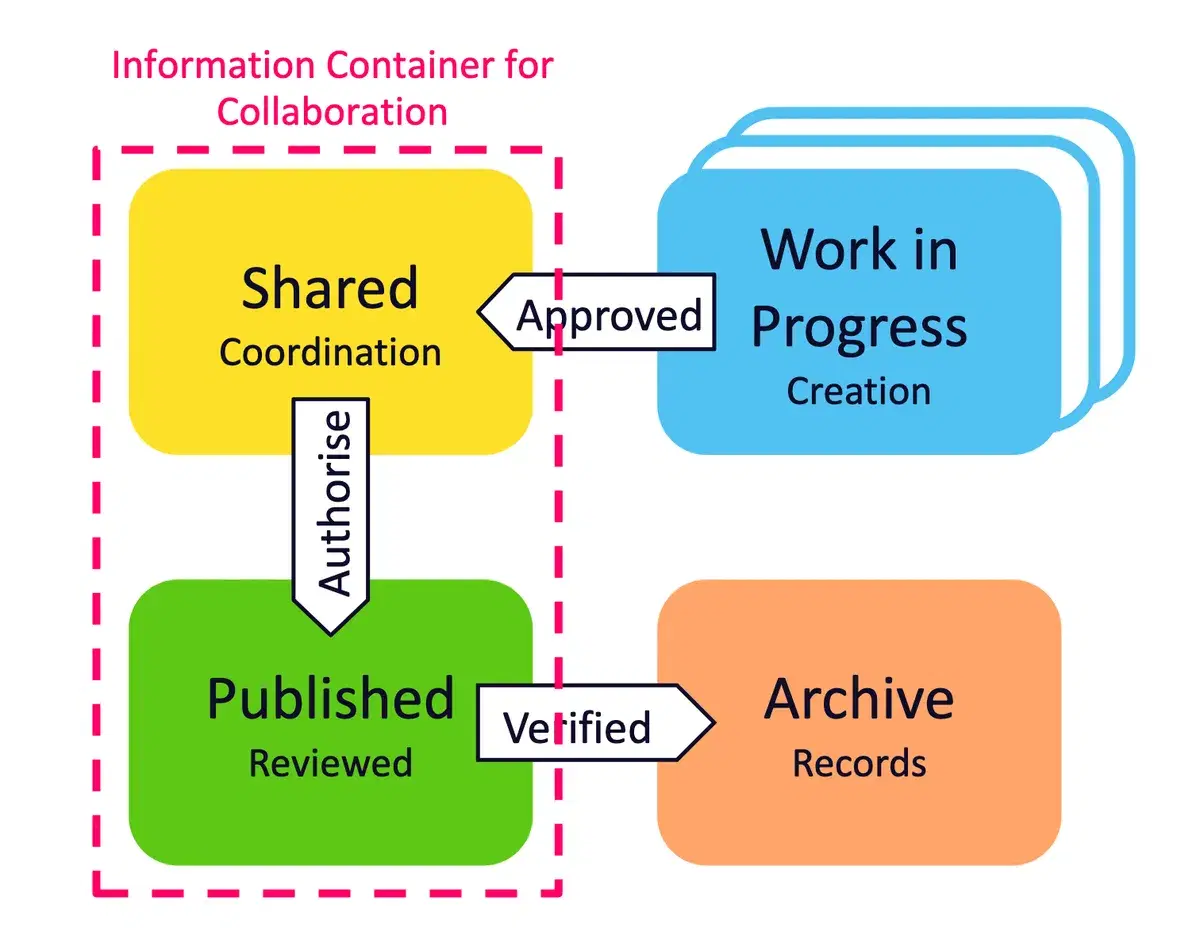
Everything downstream depends on how the models are built. There is no mandatory requirement to develop the models following ISO 19650, but it is a useful framework for managing the data exchange between the Work in Progress (WIP), Shared, and Published states as the disciplines develop their models. The Architect and the respective engineering consultants should coordinate their BIM models early, usually to Level of Development (LOD) 350, and put standards in place to protect model quality. Some checks include clashes, geo-coordination, and the information needed for Design Gateway approvals. If LOD is unfamiliar territory, our guide to BIM LOD explains what 350 actually commits you to.
There are various BIM ecosystems available that produce models in proprietary formats. Examples include Autodesk's Revit, Graphisoft's ArchiCAD, and Bentley's MicroStation. The CORENET X Code of Practice, which governs how BIM models are developed in Singapore's context, requires the models to follow an open schema known as IFC+SG. No authoring tool produces compliant IFC+SG out of the box. This is where the Bimeco Validator comes into play, and where working with an experienced BIM team pays for itself: the schema mapping decisions you make during model development determine how painful validation will be later.
IFC+SG Validation for CORENET X
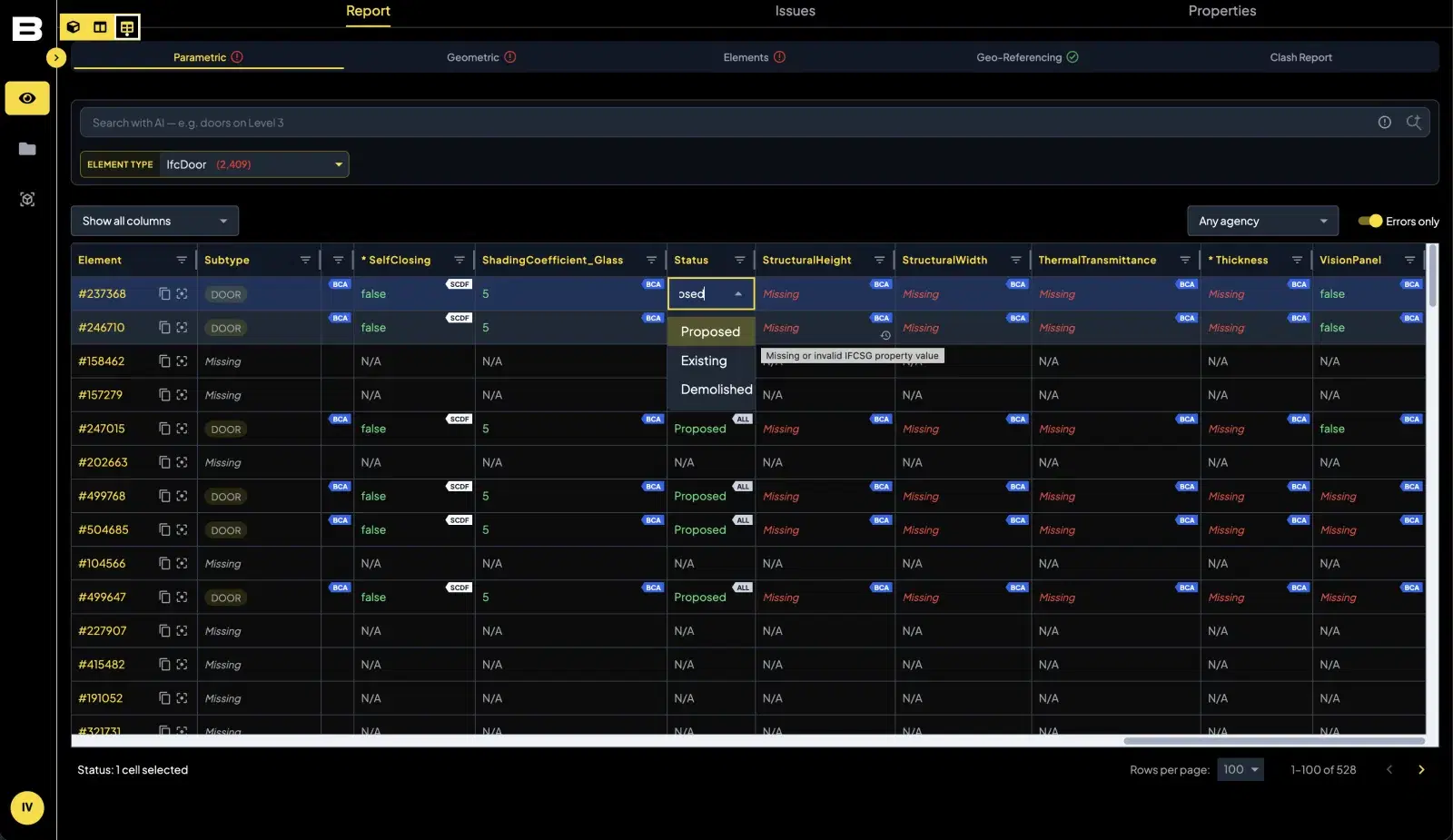
According to the CORENET X Code of Practice, creating the BIM models in native formats (.rvt, .pln, .dgn) is not sufficient. The data in the BIM models needs to be structured in IFC+SG format. IFC+SG captures information about the asset being built, which allows the agencies to perform a consolidated review of the project instead of each agency reading its own set of drawings.
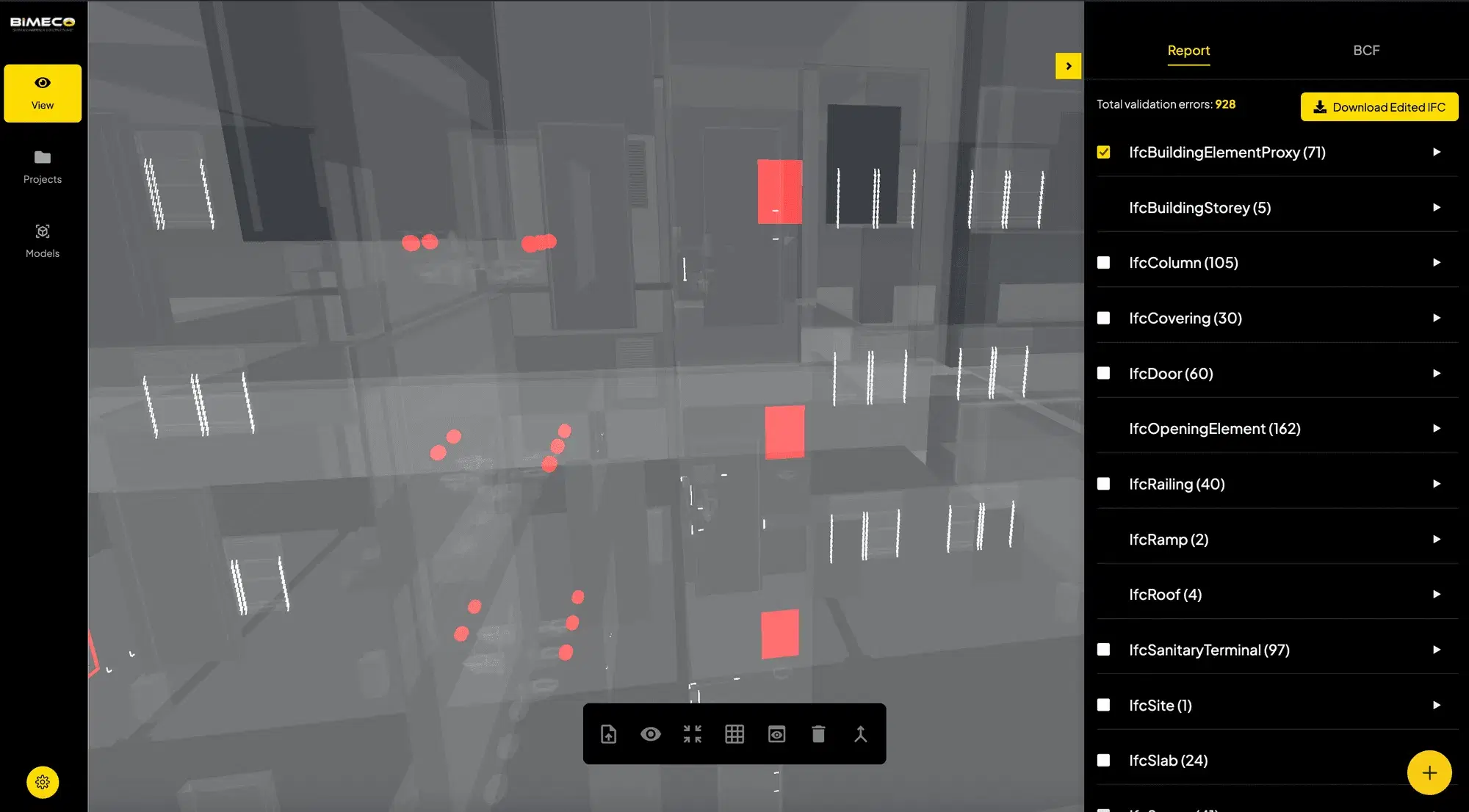
The mandatory parameters themselves are defined in BCA's industry mapping table, which lists, element by element, what each agency expects to find in the model. Checking against it manually is tedious and error-prone, so this is the step to automate. The Bimeco Validator checks BIM models against the mandatory IFC+SG parameters in the mapping table and reports missing information, incorrect values, and classification gaps with element-level results organised by discipline, storey, property, and value. It runs in the browser, so consultants can review results without installing desktop software or opening the authoring tool.
Filter by Gateway
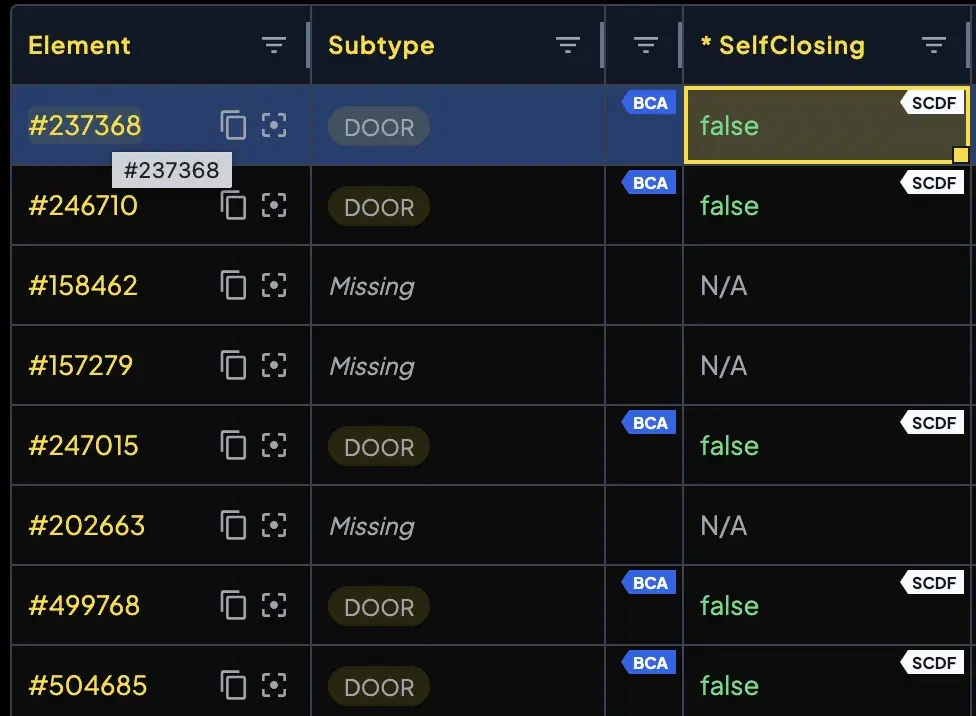
Not all values need to be filled, nor is it advisable. The Code of Practice mandates different parameters at different gateways, so checking a Design gateway model against the full IFC+SG parameter list produces hundreds of failures that do not matter yet. The Bimeco Validator filters the mandatory parameters by gateway and prioritises the components each agency needs for regulatory approval at that stage. A concrete example: the Singapore Civil Defence Force (SCDF) wants to know whether a door is self-closing. That is a Design gateway question for fire compartmentation, and the Validator surfaces it as an SCDF requirement rather than burying it in a generic list of empty properties.
The time saving is not marginal. On our projects, filtering by gateway instead of working through the full parameter list has cut compliance preparation time by around 30%, because the team stops touching values no agency is asking for at that stage.
Bulk Editing
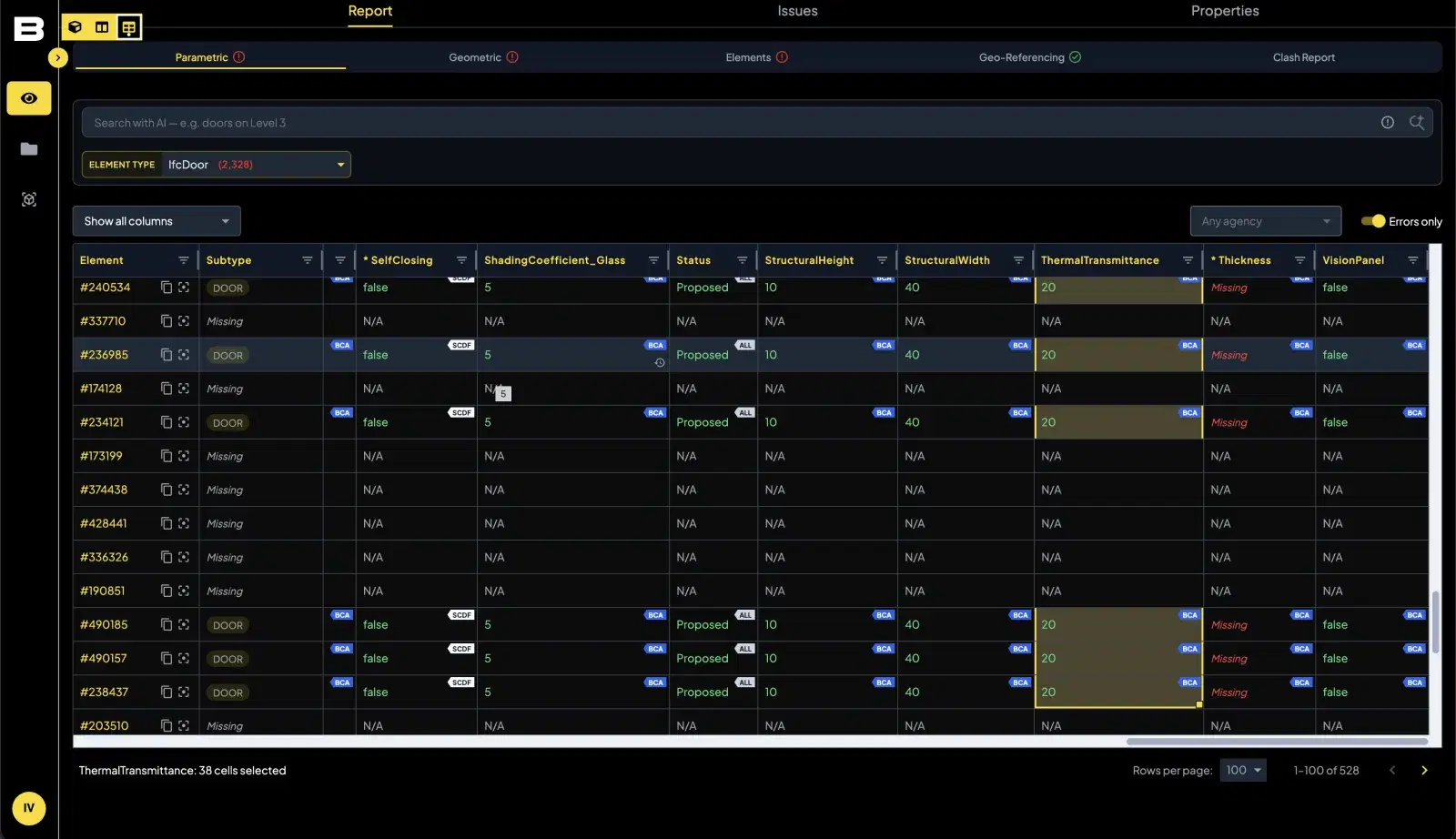
Once the failures are filtered down to what the gateway actually requires, most of them are repetitive: the same missing property across two hundred doors. The Bimeco Validator's bulk-editing features let users populate values in an Excel-like interface rather than clicking through elements one at a time. The report table also breaks down the parameters by agency, so the consultant or BIM coordinator knows the importance of each value and the agency it affects.
Fixing IFC+SG Validation Issues
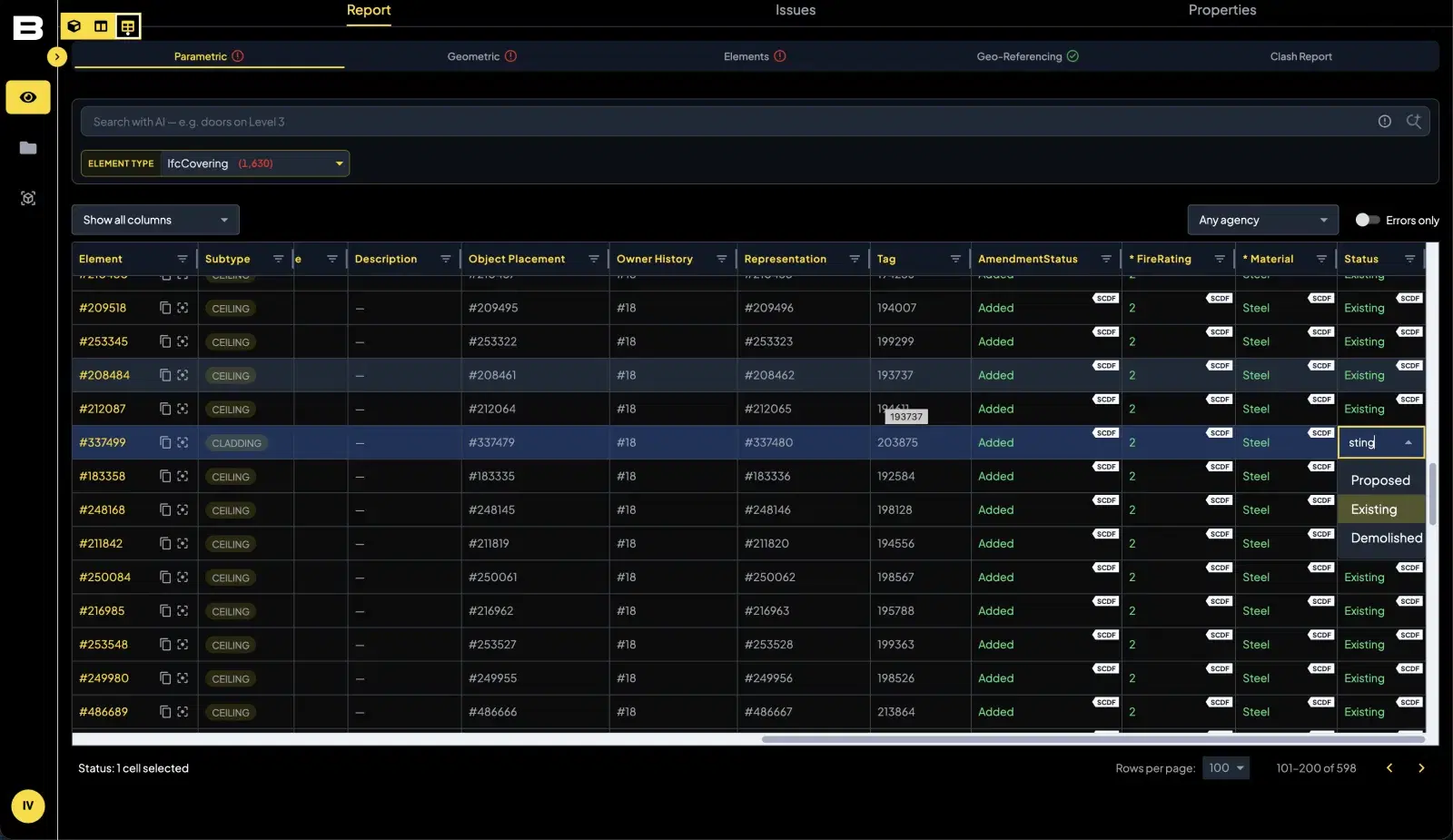
Fixing used to be treated as a modeller's job. Now, even consultants can and should fix the BIM model. The reason is simple: many IFC+SG values are design decisions, not drafting tasks. Deciding the fire rating for a given door element can only be done by the consultant. Nobody else is qualified to make that call, and delegating it to a coordinator just adds a round trip. Once the consultant fills in those values, SmartFix, a Bimeco Validator feature, provides a level of intelligence to support the appointed BIM coordinators as they edit the remaining values in the model.
Revit Plugin for IFC+SG Sync
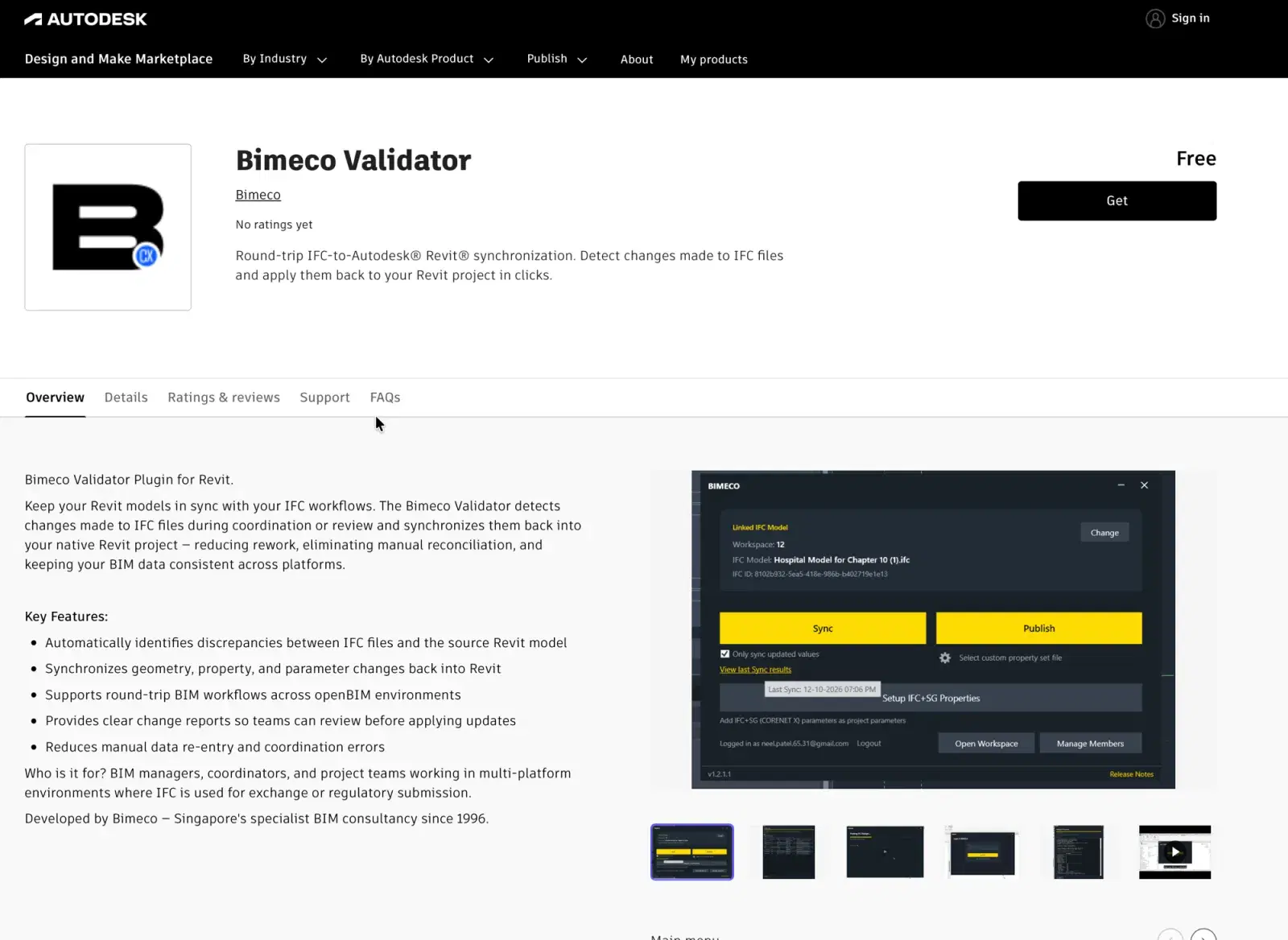
The Validator also features a free Revit plugin on the Autodesk Marketplace, compatible with Revit 2025, 2026, and 2027, that supports bi-directional sync with the native BIM models. This replaces complex workflows like the Autodesk Interoperability Tools, which require too much configuration to work reliably. With a single plugin, corrections made during validation flow back into Revit, and the authoring model stays up to par with CORENET X requirements instead of drifting away from the submitted IFC+SG file.
There is a longer-term payoff here too. The Bimeco Validator acts as a source of truth, maintaining a historical log of what is Proposed, Existing, and New for each element. An SCDF reviewer can see at a glance whether a door is proposed or existing, and whether it is self-closing. That same information can be referenced in future projects: the workflow is to pull the validated data back into your Revit environment, so an addition and alteration job three years later starts from verified data instead of a fresh survey.
Managing CORENET X Resubmissions
A CORENET X response rarely comes back clean on the first attempt, and the resubmission cycle is where unprepared teams lose the most time. Because the agencies respond as one, a single discipline's gap holds up the whole gateway: the structural model can be perfect, but if the M&E model is missing its mandatory parameters, everyone waits for the coordinated response to come back and the cycle to restart.
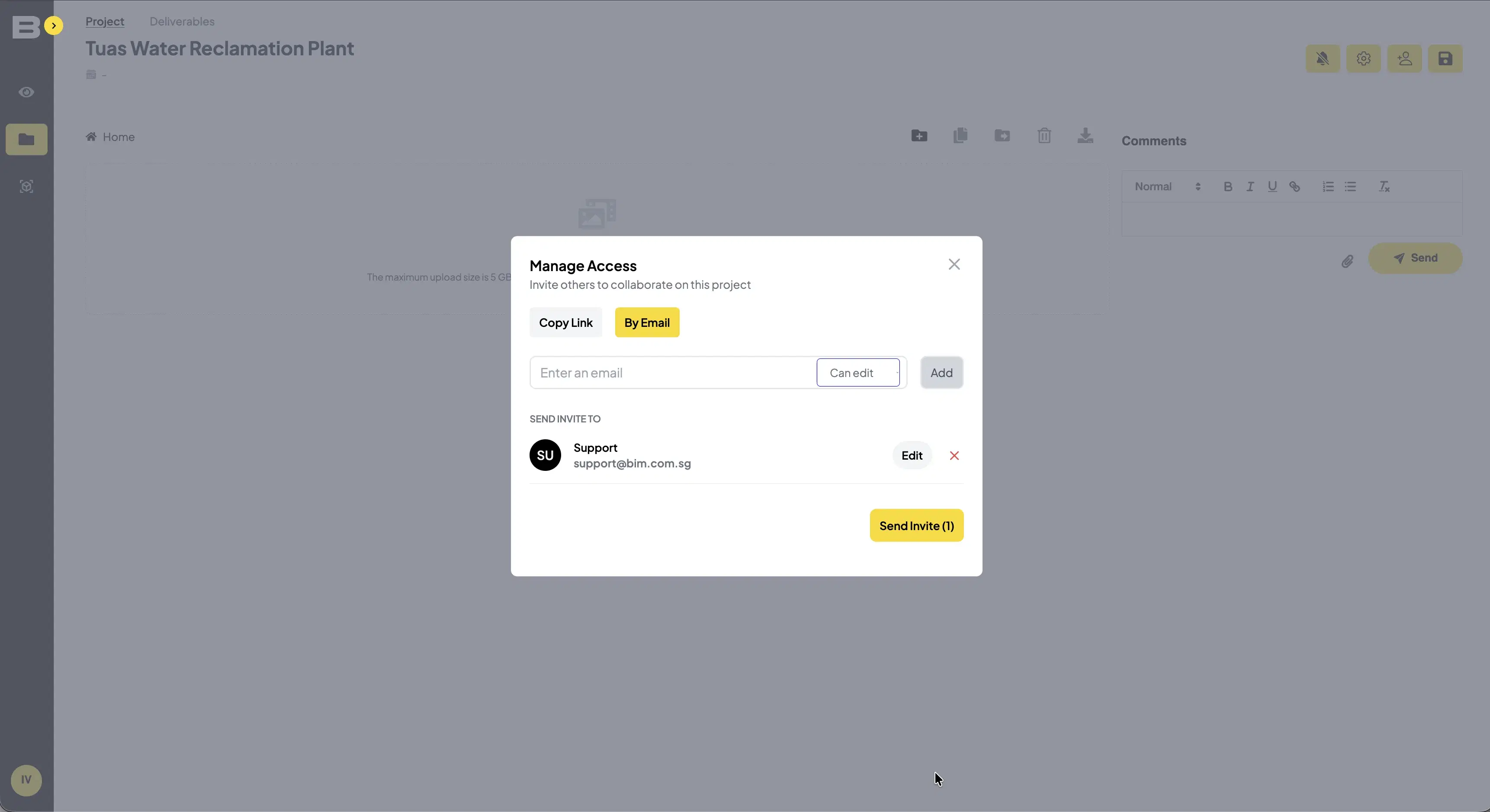
The way to control this is to run the agency review internally before the agencies do: BIM coordination across the disciplines before submission, not after rejection. The Bimeco Validator contains collaboration features that allow multiple stakeholders, Architects, consultants, engineers, and contractors, to submit and federate their BIM models before the CORENET X submission goes in. The Project Coordinator, often the Architect, invites each party by email, each discipline validates its own model, the issues are assigned to the party who owns them, and the federated set is checked again before resubmission. Avoid the occurrence of Written Directions: they mean resubmission, paying submission fees again, and delays to the project.
IFC+SG Training for Project Teams
Tools only help if the team can read what they report. Ensure everyone on the project knows how to read a validation result and trace it back to the model element it refers to. In practice that means the whole team, not just the BIM coordinator: the consultant who owns the fire rating needs to recognise the failed parameter as their decision, and the modeller needs to know where in Revit that value lives. For teams that want to go deeper, the Advanced IFC+SG course at AIA teaches the schema from the Revit side, and the training features the use of the Bimeco Validator to support the CORENET X model validation process. A consultant who understands IFC+SG stops treating validation failures as noise and starts treating them as a checklist.
PSG Grant for CORENET X Compliance
The Productivity Solutions Grant (PSG) provides up to 50% funding for tools that support the preparation of BIM models for CORENET X. Tools like the Bimeco Validator can be offset by the grant, which materially changes the cost calculation for smaller consultancies. With the mandate already in force for all new projects, this is not an investment you can defer to the next financial year. Our PSG grant guide covers who qualifies and how to apply.
One caution to close on, and it is the position this whole article argues for: these tools rapidly accelerate the preparation of BIM models, but they are not enough. A validator tells you what is wrong; it does not know whether your door should be fire-rated, whether your gateway strategy is sensible, or whether your consultants and coordinators are fixing the same element twice. Working with experienced BIM companies familiar with preparing models for CORENET X is essential. The grant covers the tool. The judgment still has to come from people who have done this before.
Frequently Asked Questions
Table of Contents
Authors

Tags
Preparing a CORENET X Submission?
Related Articles
Outsourced BIM Services in Singapore: CORENET Submission, Coordination, and Handover
How outsourced BIM delivery works in Singapore, stage by stage. Covers CORENET X submission, design & construction implementation, and project handover.
Faster Permits, Fewer Reviewers: The Case for Model-Based Permitting
U.S. building departments face staffing shortfalls, retirements, and rising demand. Model-based permitting using BIM and IFC can cut review cycles and scale with fewer reviewers.
BIM Execution Plan Template for Singapore Projects: Free Download (CORENET X Ready)
Download a free BIM Execution Plan template built for Singapore projects. 32-page PDF covering CORENET X workflow, IFC+SG, clash detection, ISO 19650 CDE, and LOD progression.